
The Unexpected Hand Warmer: When Your Device Turns Against You
Imagine you are sitting comfortably on your couch, enjoying a quiet evening at home. You are just doing some light web browsing or watching a short video on social media. Suddenly, you notice the back of your device becoming uncomfortably warm against your palm.
Within just a few minutes, that mild warmth turns into aggressive heat. It feels like you are holding a tiny, dangerous pocket heater. Your first instinct is pure panic, and you might even drop the device on the sofa because it actually hurts to hold.
This is a terrifying moment for any tech user. You start wondering if the battery is going to expand, leak, or even burst into flames right there in your living room. You spent a large amount of your hard-earned money on this premium piece of technology. It is incredibly frustrating when it acts like a ticking time bomb during completely normal tasks.
The peace of mind you usually get from staying connected instantly vanishes. Instead of enjoying your evening, you are now stressed, constantly touching the back glass to see if the temperature is dropping. This sudden thermal issue disrupts your work, kills your battery life, and leaves you feeling completely helpless.
When your phone burns through its energy just to generate unwanted heat, your daily routine takes a massive hit. You miss important calls because the system shuts down, and your overall digital experience becomes a source of extreme anxiety.
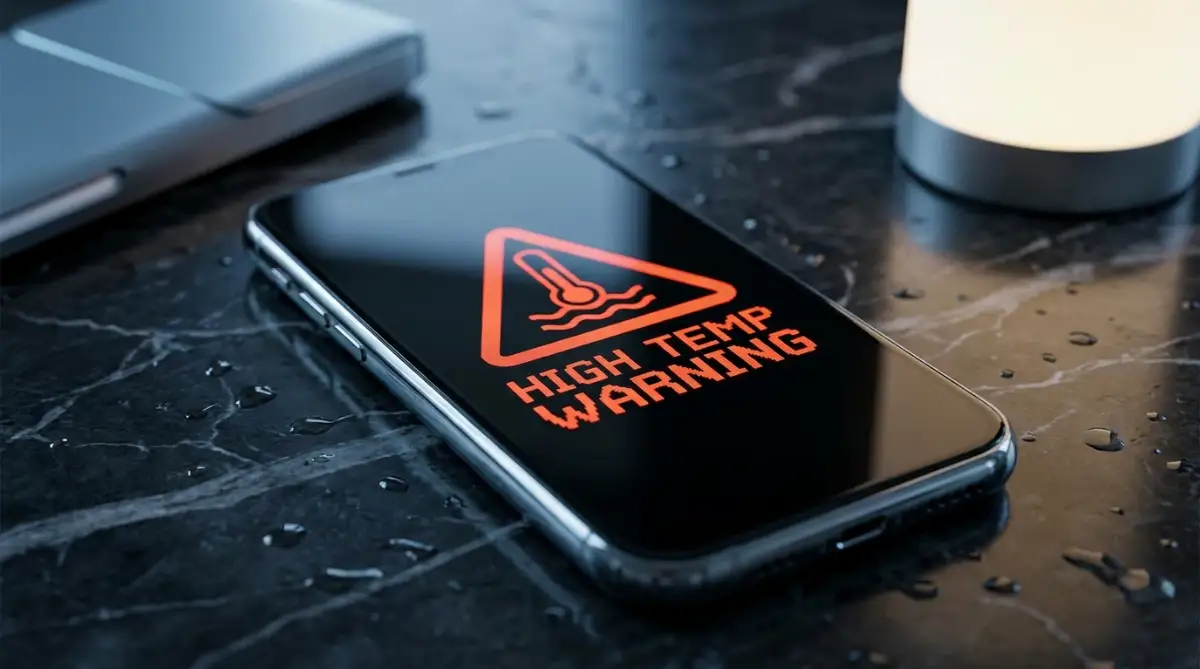
The 60-Second Emergency Rescue Protocol
When your device feels like it might melt, you cannot afford to wait. You need to take immediate, deliberate action to stop the thermal runaway. Treat your phone exactly like an exhausted athlete who has just run a marathon in the summer heat.
The very first thing you must do is stop whatever the phone is currently processing. Lock the screen immediately. Do not close your apps one by one, as swiping through menus actually forces the processor to work harder.
Next, rip off the phone case right away. Think of your phone case as a thick winter coat. When you are sweating profusely, wearing a winter coat traps all the heat against your body.
Smartphones do not have internal cooling fans like laptop computers do. They rely entirely on their outer shell to dissipate heat into the surrounding air. By removing the case, you instantly expose the hot glass and metal to room temperature air.
Severing the Invisible Energy Drains
Once the device is physically naked, you need to cut off its invisible connections. Swipe down to access your quick settings and instantly tap the Airplane Mode icon. This step is incredibly important for rapid cooling.
When your phone is connected to cellular networks, Wi-Fi, and Bluetooth, it is constantly shouting into the void to maintain those signals. If your network reception is weak, the internal antenna works overtime to find a tower, generating massive amounts of heat. Airplane mode stops this exhausting search immediately.
If your phone is plugged into a charger, unplug it without a second thought. Charging a battery is a chemical process that naturally produces a lot of excess heat. Forcing electricity into an already overheating battery is a recipe for permanent hardware damage.
Myth vs Reality: How NOT to Cool Your Phone
When panic sets in, people often try desperate measures to save their electronics. However, some popular internet hacks will actually destroy your device faster than the heat itself. Let us look at the facts.
The Popular Cooling Myth ~ The Dangerous Reality ~ What You Should Do Instead
Putting it in the fridge ~ Rapid temperature drops create internal water condensation, short-circuiting the motherboard. ~ Place it on a cool, solid surface like a marble countertop or a stone floor in the shade.
Holding it in front of the AC ~ Blasting freezing air directly into the charging port can also trap dangerous moisture inside. ~ Let a gentle, room-temperature room fan blow softly across the back of the device.
Washing a water-resistant phone ~ Hot internal seals can expand, allowing cold tap water to breach the water resistance easily. ~ Simply leave the device entirely alone in a dark, cool room for at least fifteen minutes.
Investigating the Software Culprits
Once the physical temperature has returned to a safe, comfortable level, it is time to play detective. Normal usage should never cause burning temperatures unless there is a severe software conflict happening in the background.
Think of your phone’s processor like an office worker. Usually, this worker handles one or two tasks perfectly. But sometimes, a rogue application dumps a massive pile of demanding paperwork on their desk all at once.
Background App Refresh is often the biggest hidden offender here. Some poorly coded apps constantly pull new data from the internet even when you are not actively looking at them. This keeps the processor awake and running at maximum speed.
Navigate to your device settings and manually inspect your battery usage chart. Look closely for any specific app that shows massive background activity. If a random shopping app or a basic game is eating up 30% of your battery while you sleep, delete it immediately.
The Screen Brightness Trap
Your display panel is the single most power-hungry component on your entire device. Many users leave their screen brightness set to 100% all day long out of pure habit. This is an enormous drain on the battery cells.
Pushing maximum light through millions of tiny pixels requires an incredible amount of continuous energy. As a direct result, the area right behind the screen becomes dangerously warm. This heat then transfers directly into the battery pack resting just millimeters below it.
Always enable Auto-Brightness or manually keep your slider around the 40% mark while indoors. You will be amazed at how much cooler your device feels in your hand after making this one simple adjustment.
The Hidden Impact of Location Services
We rely heavily on GPS for navigation, food delivery, and local weather updates. However, active location tracking requires your phone to communicate directly with satellites in deep space. This is heavy, demanding work for a tiny internal chip.
Many social media apps secretly track your precise location in the background just to serve you targeted local advertisements. This constant pinging prevents the phone from entering its natural deep sleep state. The processor stays awake, the battery drains rapidly, and the heat builds up silently.
Go into your privacy settings and review location permissions carefully. Change the access for most apps to "Only while using the app." By restricting this constant satellite communication, you give your phone’s processor a much-needed rest.
The Environment Around You Matters
Sometimes, the problem is not inside the phone at all. We often forget that these delicate pieces of electronics are highly sensitive to their physical surroundings. Direct sunlight is the ultimate enemy of a healthy battery.
If you leave your device sitting on a car dashboard, a sunny window sill, or a hot beach towel, it will bake like an oven. The dark screen absorbs solar radiation incredibly fast. Even if the phone is turned off completely, environmental heat can trigger a thermal emergency.
Your pockets can also become a surprisingly hostile environment. Tight jeans combined with body heat create a very warm, enclosed space. If an app gets stuck in a loading loop while the phone is trapped in your pocket, the heat has absolutely nowhere to escape.
Understanding Thermal Throttling
You might notice that right before your phone gets dangerously hot, it suddenly becomes incredibly slow. Animations stutter, apps take forever to open, and the screen might automatically dim itself. This is not a glitch; it is actually a built-in safety feature.
This protective measure is known as thermal throttling. The phone’s internal sensors realize the temperature is rising too fast. To save itself from physical melting, the computer deliberately slows down its own processing speed to generate less friction and heat.
Never try to force your phone to work faster when it is throttling. Do not rapidly tap the screen or repeatedly press the power button. The device is actively trying to save its own life, so you must step back and let it do its job.
Protecting Your Long-Term Battery Health
Excessive heat is the number one killer of lithium-ion batteries. Every single time your device overheats, the internal chemical structure of the battery degrades slightly. This damage is entirely permanent and cannot be reversed.
If your phone frequently feels like a hot potato, your maximum battery capacity will shrink drastically over time. A phone that used to last an entire day might start dying by lunchtime. This is because the heat physically destroys the cells capable of holding an electrical charge.
Expert Pro Tips for a Cooler Experience
To maintain a healthy, cool device over the long run, you need to build better digital habits. Update your operating system regularly. Developers frequently release small patches specifically designed to fix bugs that cause processors to overwork and overheat.
Pro Tip: Restart your smartphone at least once a week. We leave our phones powered on for months at a time, causing temporary files and broken background processes to pile up. A simple reboot clears the system memory, giving your processor a clean, fresh start.
If you live in a naturally hot climate, consider buying a dedicated gaming phone cooler. These tiny attachments clip onto the back of your device and use small fans to pull heat away from the processor. They are highly effective if you often use your camera for long recording sessions in the sun.
By actively monitoring your background apps, managing your display settings, and respecting your environment, you take full control of your device. You can easily stop those scary overheating moments before they even begin. Keep these simple safety rules in mind, and your smartphone will remain a helpful tool rather than a dangerous pocket heater.
Pro-Level Strategies to Keep Your Device Ice Cold
Now that we have managed the immediate panic of a burning device, we need to look ahead. You do not want to keep fighting this same battle every single week. Long-term battery health requires a few smart, intentional changes to your daily routine.
I want to share some expert-level secrets that will completely transform how your device handles heat. These are not complicated hacker tricks. They are simple, highly effective habits that smart tech users apply every day.
Mastering the 20-80 Charging Rule
Most of us have a terrible habit of plugging our phones in before bed and leaving them connected all night long. We wake up to a 100% charge, thinking we have done a great job. However, pushing a lithium-ion battery to its absolute maximum limit actually generates severe internal heat and stress.
Think of your battery like a suitcase. Packing it to 80% is easy and requires very little effort. But trying to force that last 20% of clothes into the suitcase requires you to push, squeeze, and put massive pressure on the zippers.
This extreme pressure translates directly into excess heat inside your smartphone. To keep your device running cool for years, try to keep your battery level strictly between 20% and 80%. Many modern smartphones now have a built-in feature called "Optimized Battery Charging" that stops the power flow automatically.
Taming the 5G Heat Engine
We all love insanely fast internet speeds. Upgrading to a 5G network feels like a massive step forward in technology. But there is a hidden cost to downloading movies in seconds, and that cost is raw, intense heat.
Connecting to a 5G tower requires your phone's internal modem to work incredibly hard. If you are in an area with a weak 5G signal, your phone will push maximum power to the antenna just to maintain a connection. This is a primary reason why phones overheat in your pocket during a simple commute.
If you are just browsing text-based websites or listening to saved music, you do not need 5G speeds. Go into your cellular settings and manually switch your network mode to 4G or LTE. Your phone will instantly run cooler, and you will barely notice a difference in everyday browsing speed.
For a deeper understanding of how extreme temperatures affect hardware, Apple provides official safety guidelines on acceptable operating temperatures that apply universally to almost all modern smartphones.
Controlling the Cloud Backup Traffic
Your phone is likely taking hundreds of photos and videos every single month. To keep your memories safe, background services constantly try to upload these large files to cloud storage. This heavy data transfer demands serious processing power.
If your phone tries to back up a heavy 4K video while you are walking outside in the hot sun, it will overheat almost instantly. The processor, the modem, and the battery are all being pushed to their absolute limits at the worst possible time.
Take control of this situation by tweaking your cloud storage settings. Set your photo backups, system updates, and heavy app downloads to occur "Only on Wi-Fi and while charging." By doing this, you ensure the heavy lifting only happens when you are safely indoors in a cool environment.
Decluttering the Digital Closet
A phone that is completely full of apps, old videos, and cached data will always struggle to perform basic tasks. When your storage is nearly maxed out, the operating system has to work overtime just to find the files it needs.
Imagine trying to find a specific pen in a highly organized drawer. It takes two seconds. Now imagine finding that same pen in a drawer overflowing with garbage. You will get frustrated and sweaty just looking for it.
Your smartphone's processor feels the exact same way. Regularly delete apps you no longer use, and move your old videos to an external hard drive. Keeping at least 15% to 20% of your total storage entirely empty gives your operating system the breathing room it needs to run cool.

The Dangerous Trap: How We Accidentally Destroy Our Phones
Even with the best intentions, people often make terrible mistakes when trying to fix an overheating phone. Panic causes us to act irrationally. I want to walk you through some common pitfalls so you can avoid making a bad situation much worse.
The Quick-Cooling Disaster
When a phone feels like it is on fire, the most common human reaction is to cool it down as fast as possible. People will literally throw their thousand-dollar devices into the freezer or place them directly on top of an air conditioning vent. This is a massive, highly destructive mistake.
When you rapidly drop the temperature of hot electronics, condensation forms deep inside the device. It is exactly like taking a hot shower and watching the bathroom mirror fog up with water droplets.
Those microscopic water droplets will form directly on your phone’s motherboard. This internal moisture quickly leads to short circuits and permanent hardware death. Always let your device cool down gradually at normal room temperature.
The Cheap Charger Menace
We have all been in a situation where we desperately needed a charger and ended up buying a cheap, unbranded cable from a local gas station. While it might give you a quick boost of power, it is quietly destroying your battery cells.
High-quality chargers have tiny, intelligent microchips inside them. These chips talk directly to your phone to deliver the exact right amount of electrical current. They know exactly when to slow down the power flow to prevent serious overheating.
Cheap, knock-off chargers do not have these safety chips. They force raw, unregulated electricity into your battery, causing severe thermal stress. Always invest in certified accessories directly from your phone’s manufacturer.
Gaming Through the Warning Signs
Modern mobile games are visually stunning, but they push your graphics processor to the absolute limit. It is completely normal for a phone to get warm during heavy gaming. However, continuing to play while the phone is plugged into a charger is a recipe for disaster.
When you play heavy games while charging, you are creating heat from two different sources simultaneously. The battery is heating up from receiving power, and the processor is generating heat to render the game graphics. This double threat easily pushes the phone past its safe thermal limits.
If your screen automatically dims while gaming, or if the game starts stuttering heavily, your phone is begging for mercy. Ignoring these warning signs will eventually cause the battery to physically expand, pushing your screen right off the phone frame.
The Financial Nightmare of Neglect
A dead smartphone is not just a major inconvenience; it is a massive financial blow. Buying a brand-new premium device can easily cost over a thousand dollars. If you are not financially prepared, this sudden, unexpected expense can completely derail your monthly budget.
This is exactly why building a bulletproof emergency fund fast is absolutely essential. You never want to be in a position where a broken phone forces you into high-interest credit card debt.
When people cannot afford a cash replacement, they often turn to financing options or personal loans to buy a new device. If you lose your job or face another emergency, you might find yourself missing a personal loan EMI payment, which destroys your credit score.
If you have already made the mistake of financing too many gadgets in the past, the stress of monthly payments can be overwhelming. In these tough situations, looking into consolidating multiple debts can help you breathe easier and regain control of your personal finances. Treat your phone well, and you protect both your data and your wallet.
To understand more about exactly how batteries fail under stress, the experts at Battery University offer incredible insights on lithium-ion degradation that every smartphone owner should read.
Your Blueprint for a Stress-Free Digital Life
Dealing with an overheating smartphone is scary, but it does not have to be a permanent struggle. You now have the knowledge and the tools to handle these thermal emergencies like a true professional. You understand exactly what causes the heat, how to cool the device safely, and how to prevent it from happening again.
Remember, yours smartphone is a highly advanced piece of technology designed to serve you. You should never feel anxious or worried just holding it in your hand. By making a few small adjustments to your daily settings, you take full control of your digital experience.
Start by checking your battery usage today. Turn on auto-brightness, remove that heavy winter coat of a phone case while charging, and delete those sneaky background apps. These tiny, five-minute changes will add years to your device's lifespan.
I strongly encourage you to put these simple practices into action right now. Enjoy the peace of mind that comes with a cool, healthy, and perfectly functioning device. You have got this, and your smartphone will thank you for the extra care!
Disclaimer: The information provided in this article is for educational and informational purposes only. Smartphone hardware varies by manufacturer. If your device continues to dangerously overheat, emits unusual odors, or shows signs of physical battery swelling, stop using it immediately. Contact your official manufacturer support or visit a certified repair professional. Never attempt to open a swollen lithium-ion battery yourself, as it poses a severe fire hazard.