
The Silent Danger Hiding in Your Daily Workflow
you just copied your client's entire Q3 earnings report into a random free AI tool, and suddenly it hits you—where did that data just go? I almost gave myself a panic attack a few months ago doing exactly this. My brain instantly pictured our company's private info popping up in someone else's search results. That near-disaster pushed me to find a way to get all the amazing time-saving perks of AI without ever connecting to the internet.
You get a beautiful summary in seconds. But then panic sets in. You just pasted your client's Q3 revenue into ChatGPT or Claude, and suddenly you wonder—where exactly did that data just go? The terrifying truth is that many free cloud AI tools can use your inputs to train their public models. Imagine your company’s top-secret growth strategy accidentally popping up in a competitor's prompt next week. I actually got a frantic Slack message from a buddy last month who almost got fired for doing exactly this. If you are handling sensitive files, you desperately need secure AI for business so you don't lose sleep over a potential data breach.
You are definitely not alone if you feel trapped. We all want the amazing speed and efficiency that artificial intelligence offers. However, risking a massive data leak or breaking a non-disclosure agreement is simply not an option.

What You Are Going to Learn Today:
- How to stop feeding your private client data to public internet companies.
- The incredibly easy way to run a smart assistant entirely on your own hard drive.
- Why setting your AI's "temperature" to zero is the secret to getting factual, accurate answers.
- How to organize your PDFs so the offline system can actually read them without crashing.
Building Your Own Private Artificial Intelligence Brain
Keeping your data safe while using smart technology might sound like a job for a senior programmer. I completely understand why you might feel intimidated by the idea. However, the process is incredibly logical once you break it down into manageable pieces.
Instead of sending your files to the internet, we are going to bring the internet's brain directly to your files. This method ensures your data never leaves your computer screen.
Myth vs. Reality Check
Before we start building, let us clear up a massive misunderstanding in the tech community.
The Myth: You need a million-dollar supercomputer and years of coding experience to train a custom model.
The Reality: You do not need to "train" a model from scratch at all. Instead, we use a simple method called Retrieval-Augmented Generation (RAG).
RAG is basically like giving an incredibly smart, open-source AI an open-book test. You hand it a stack of your private documents, and it reads them instantly to answer your specific questions. It never memorizes the data permanently, and it never shares it with the outside world.
Step 1. Preparing Your Digital Workspace
If you want a smart assistant, you must give it a clean workspace. The system will only be as smart as the information you provide.
Start by gathering all the text documents you want the system to read. These can be old PDF reports, messy Word documents, or simple text files. Put them all into one beautifully organized master folder on your local hard drive.
Organizing Unstructured Files
Artificial intelligence gets confused easily if your documents are full of random images, weird tables, or hidden formatting. Take a few minutes to clean up your text.
If you have a massive PDF, make sure the text is actually selectable. If the AI cannot highlight the text, it cannot read it. Good data preparation solves eighty percent of the common errors you will face later.
Step 2. Choosing Your Secure Foundation
Now, you need the actual brain. Since we want total security, we must use an open-source model. This means the underlying code is free, public, and works completely offline without an internet connection.
Quick Q&A: Can My Laptop Actually Handle This?
- Q: Do I need a crazy expensive gaming PC?
- A: Nope! If you bought a standard Mac or Windows laptop within the last 4 to 5 years, it can easily handle a basic offline model.
- Q: Will it drain my battery?
- A: Yes, processing data locally eats up power. Always plug your laptop into the wall before analyzing massive PDF files.
Think of an open-source model as a highly educated intern. This intern knows English perfectly and understands logic, but they know absolutely nothing about your specific business yet.
Feature Cloud-Based Tools (Public)Local Open-Source (Private)Data Privacy Very Low 100% Secure Internet Need Always Required Works Offline Cost Monthly Fees Completely Free Customization Limited by rules Total Control
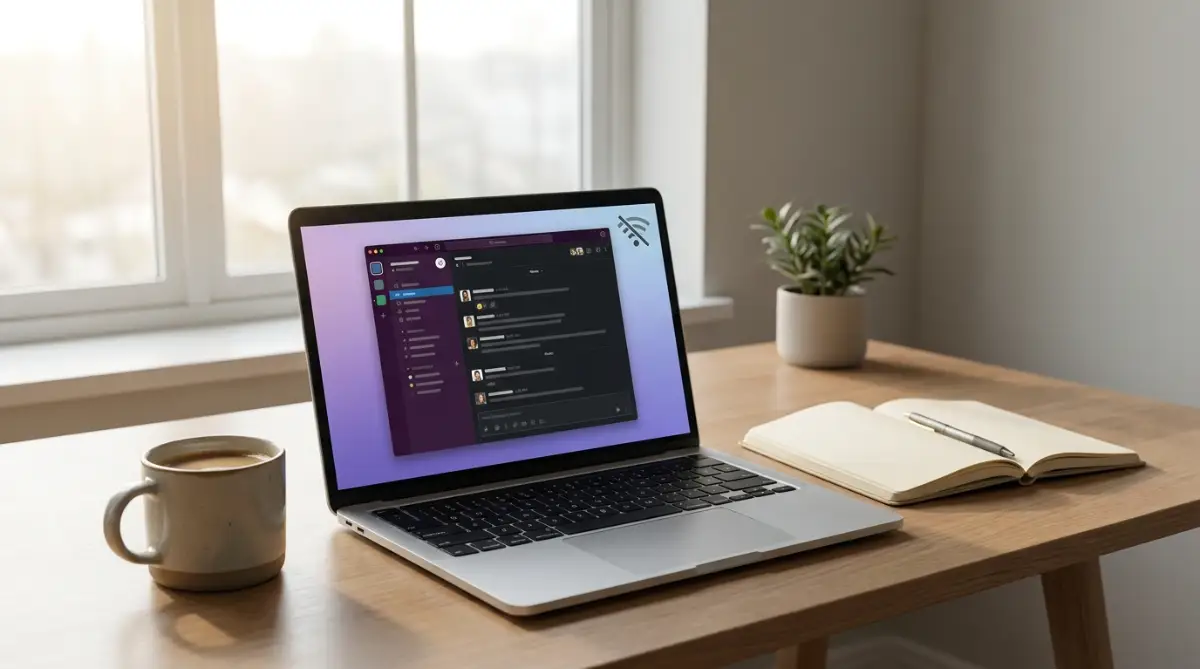
Forget the complicated setup guides you see on Reddit. You just need to download user-friendly offline AI tools like LM Studio, AnythingLLM, or GPT4All. I personally use LM Studio on my Mac because the interface looks almost exactly like the regular ChatGPT window we are all used to. You literally just click "download" on a popular model like Llama-3, turn off your Wi-Fi to prove to yourself that nothing is going to the cloud, and start chatting safely.
If you are feeling a bit overwhelmed by the idea of downloading an offline model, watch this simple step-by-step video below before reading the rest of the guide. It will show you exactly how easy it is to set up a safe, private AI workspace right on your own desktop in just a few minutes!
Step 3. How the System Actually Reads Your Files
Let's skip the overly technical jargon. Your local LLM cannot just swallow a massive 500-page legal PDF in one gulp. It would crash your computer instantly.
Instead, these private tools use something developers call "embeddings." If you have ever used a giant physical filing cabinet with color-coded index cards, you already understand how this works.The software takes your long text documents and chops them up into tiny, readable paragraphs.
Chunking Your Text for Better Accuracy
It turns these small chunks of text into special numbers that the machine can quickly search through. When you ask a question later, the system simply searches for the numbers that match your question.
It finds the exact paragraph in your private document, reads it, and gives you a human-like answer. Because everything happens inside your own computer's memory, no hacker can intercept the data.
Expert Insight: Managing Hardware Limitations
Pro Tip: Processing large text files completely offline requires a decent amount of computer memory. If you notice your computer slowing down or freezing, start with smaller files first. Feed the system a single ten-page document instead of an entire filing cabinet.
You can also choose lighter, smaller open-source models designed specifically for regular laptops. These lighter versions are incredibly fast and still offer amazing accuracy for basic reading tasks.
Step 4. Chatting Safely with Your Private Data
Once your files are indexed and your offline model is running, it is time to start communicating. The way you talk to your new private system determines how helpful it will be.
You must set clear rules when asking questions. Always instruct the system to only use the provided documents for its answers.
For example, type: "Based strictly on the private files I uploaded, summarize the marketing budget for the third quarter." This strict instruction stops the system from making up random facts.
Testing the Boundaries of Your New System
Before trusting this system with your most critical work, you must test its limits. You need to know if it will accidentally give you false information.
The Nonsense Test
Ask your private setup a question that is absolutely not mentioned anywhere in your documents. Ask it about a fake project or a made-up employee.
If the system politely tells you that it cannot find the answer in your files, you have succeeded. It means the model is safely locked into your specific data. If it starts making things up, you need to adjust your instructions and make your rules stricter.
By following these practical steps, you regain complete control over your privacy. You get the incredible analytical power of modern technology without sacrificing your peace of mind. Taking the time to build a private system is an investment in your personal security.
Maximizing the Intelligence of Your Offline Assistant
Setting up your private system is just the beginning of your journey. To get truly professional results, you need to adjust a few hidden settings that most beginners completely ignore.
I want to share some expert-level secrets that will instantly make your local model smarter. These adjustments require absolutely no coding skills, but they will completely change how your system behaves.
Think of your newly installed software as a highly capable but slightly nervous employee. You need to give this employee the right environment to thrive.
Mastering the Art of Temperature Control
The most powerful setting hidden in your offline software is called "Temperature." This single slider controls how creative or how factual your private assistant will be.
If you are asking the system to read a strict legal document or a financial report, you want zero creativity. You must slide the temperature setting down to zero or near zero. A low temperature forces the machine to give you cold, hard facts directly from your files. On the other hand, what if you are using your private notes to brainstorm new marketing ideas? In that case, you can turn the temperature up slightly to allow the model to mix your ideas together in creative ways.
If you leave the AI's "temperature" setting at its default, it might try to be overly creative—sometimes even hallucinating fake numbers when you actually need strict accuracy for your document analysis. I once left the temperature too high while summarizing a tax PDF, and the AI confidently invented a completely fake tax loophole! Don't let the machine guess; force the temperature slider down to zero so it sticks exactly to the facts in your file.
Your 3-Second Privacy Checklist:
- Turn off your computer's Wi-Fi.
- Open your local AI tool (like LM Studio).
- Type a simple test question to confirm the system is running 100% offline.
The Power of Clean Data Hygiene
Your artificial intelligence system does not know the difference between an old draft and a final contract. If you dump both versions into your master folder, the system will read both and become incredibly confused.
You must practice aggressive data hygiene. Create a specific, isolated folder on your computer that contains only the final, approved versions of your documents.
Updating Your Digital Library
As your business grows, your information changes. Make it a strict habit to delete outdated text files from your system's folder every single month.
When you remove old files, you instantly improve the accuracy of the answers you receive. According to researchers focusing on machine learning transparency at the Allen Institute for AI, feeding a model highly curated, clean text is far more effective than feeding it a massive amount of messy data. Quality will always beat quantity.
Real-Life Scenario: The Lazy Search Trap
Let me share a quick story about a local accountant who set up a private model perfectly. She uploaded all her tax law documents but complained that the answers were always too short.
Her mistake was the way she asked the questions. She would type: "Summarize tax section 4." The machine gave her exactly what she asked for—a lazy, one-sentence summary.
To fix this, she changed her approach. She started typing: "Act as a senior tax advisor. Read the uploaded document and list three specific ways section 4 applies to a small bakery business." The results were instantly incredible.
Pro Tip: Always assign a specific role to your private assistant. Tell it exactly who it is supposed to be before you ask your main question.

Hidden Traps That Will Break Your Secure Setup
Even with the best intentions, it is incredibly easy to make a few silent mistakes that completely ruin your private setup. I have seen highly educated professionals abandon their secure systems entirely simply because they hit a small, easily avoidable roadblock.
These hidden traps do not just cause slight annoyances. They can lead to the machine giving you completely false information, which is a massive liability if you are making serious business decisions.
The "Context Window" Memory Overflow
This is the most common and most dangerous trap of all. Every artificial intelligence model has a limited short-term memory, which engineers call a "context window."
Imagine you have a bucket that can only hold one gallon of water. If you try to pour five gallons into it, the water spills everywhere, and you make a mess.
If you ask your local model to read a massive 800-page medical journal all at once, it simply cannot hold all those words in its short-term memory. It will forget the first 700 pages and only answer questions based on the last chapter.
How to Avoid the Overflow
Instead of forcing the machine to read massive books, break your large documents down into smaller chapters. Ask your questions one specific section at a time. This keeps the model focused and prevents it from hallucinating fake answers.
I used to make the terrible mistake of dumping 200-page PDF files into my local AI all at once, and it would constantly freeze my computer or give me completely fake answers. My biggest realization was that treating my AI like a tired reader—feeding it only five or ten pages at a time—instantly made the answers totally accurate. Now, I always split my big reports into tiny chapters, saving me hours of frustration and hardware crashes.
The Invisible Image Formatting Trap
Another devastating mistake is assuming the software can read everything you see on your screen. When you save a PDF file, sometimes it is saved as an image of a text page, rather than actual selectable text.
Your local offline system cannot "see" pictures unless you install specific image-recognition plugins. If you feed it a scanned PDF, the system will just see a blank wall and tell you the document is empty.
Always highlight a few words in your document with your mouse before uploading it. If your mouse can highlight the text naturally, the private model can read it perfectly.
Overheating Your Hardware
We often forget that running an advanced private brain requires actual physical power. Unlike cloud-based websites that use server farms far away, your local software is using your personal computer's processor.
If you ask a heavy open-source model to analyze fifty text documents while you have thirty browser tabs open, your laptop will suffer. The fans will spin incredibly loud, the battery will drain in minutes, and the computer might even freeze entirely.
To protect your hardware, always close heavy background applications before running big analytical tasks. You can also monitor basic device safety guidelines recommended by the Cybersecurity and Infrastructure Security Agency to ensure your local environment stays secure and stable under heavy workloads.
Taking Back Control of Your Private Data
Setting up your own offline AI might sound intimidating at first, but the peace of mind is worth 20 minutes of tweaking settings.
You no longer have to cross your fingers, hit "submit," and pray that OpenAI or Google isn't secretly storing your confidential client reports. You finally have a private, secure workspace that lives entirely on your hard drive.
Plus, having a secure offline AI means you can still get work done when your internet suddenly drops or you are stuck on a Wi-Fi-less flight. You aren't relying on anyone else's servers to get your job done.
Your Immediate Action Plan
Do not let this new knowledge sit idle. You can start protecting your data today by following a very simple plan.
- Step One: Pick just three text documents that contain sensitive information you would never share online.
- Step Two: Download a trusted, free offline tool like GPT4All to your computer.
- Step Three: Turn off your Wi-Fi completely, upload those three documents, and ask your first question.
Once you see the magic of a secure, private answer appearing right on your own screen, you will never want to go back to public tools.
You are entirely capable of managing this technology. Start small, organize your files clearly, and enjoy the incredible power of owning your own private analytical assistant. The future of data privacy starts right inside your own computer folder.
Looking back, the afternoon I finally set up my own offline AI assistant was the day I completely stopped worrying about data leaks. You do not need to be a tech wizard to make this happen, so just pick one private document today and try testing it yourself. I promise you, once you see how safe and easy it really is, you will wonder how you ever worked without it!
Disclaimer: This article is intended for educational and informational purposes only. Technology, open-source software, and data security practices change frequently. Always consult with a professional IT or cybersecurity expert before integrating new software into a secure corporate environment.
![Proven Tactics to Fix Your Custom AI Responses [The Complete Blueprint]](https://infozonee.com/storage/uploads/blogs/1786380198_proven-tactics-to-fix-your-custom-ai-responses-the-complete-blueprint.webp)
![The Ultimate Guide to Solving AI Software Glitches [Without Fear]](https://infozonee.com/storage/uploads/blogs/1785677074_the-ultimate-guide-to-solving-ai-software-glitches-without-fear.webp)